

Author’s note: Full disclosure, there’s probably a “git basics” video that should have come before this one. I realized it as I was using terms in Git that without context are rather useless. Rather than letting perfection be the enemy of good enough, I’m starting with this video and I’ll create a Video 0 with Git basics.
One production note: after the intro, the narration switches to an AI voice. Voice issues make full narration hard on me, so this is the workaround.
You’ve built something in Lovable. You love the speed. But now you want the safety net of Git: branches, PRs, code review, the ability to hack locally without breaking the live preview.
Good news: Lovable ships with a real two-way GitHub sync. No export, no lock-in, no “download the zip and hope.” In the next few minutes we’ll:
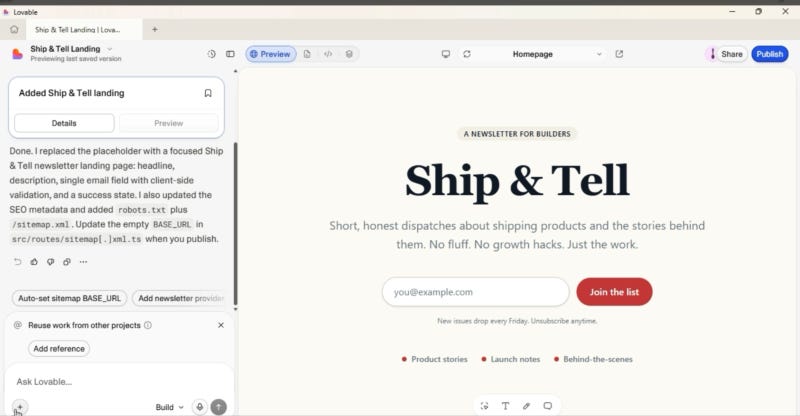
Spin up a tiny newsletter landing page in Lovable
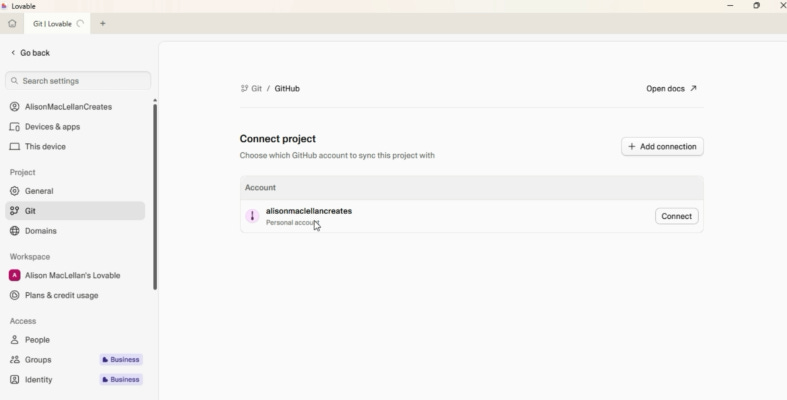
Connect it to GitHub
Enable branch switching
Make a change on a branch, open a PR, merge it, and watch it flow back
Let’s go.
Section 1 — The demo app
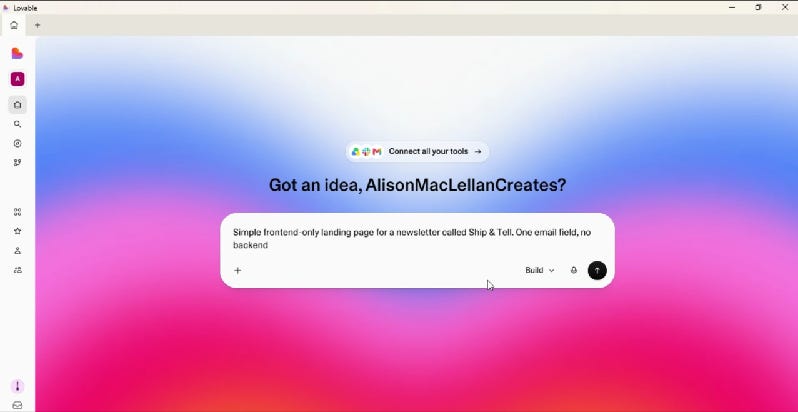
Prompt used: “Simple frontend-only landing page for a newsletter called Ship & Tell. One email field, no backend.”
Why frontend only? Keeps the Git story clean for this simple demo.
Section 2 — Connect to GitHub
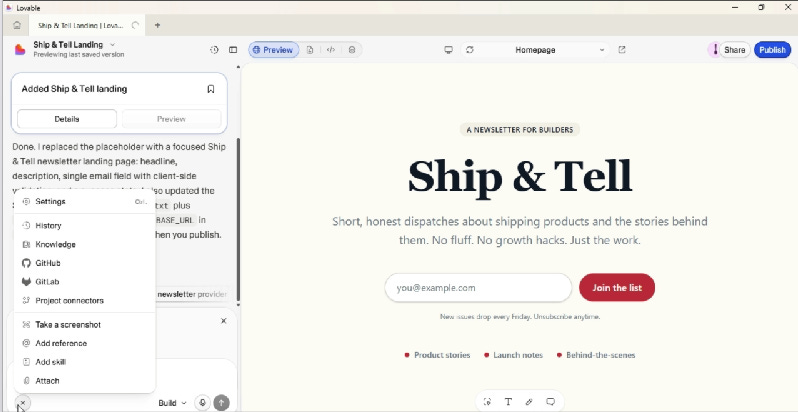
Steps:
In the Lovable editor, click the + menu (bottom-left of the chat) → GitHub → Connect project.
Authorize the Lovable GitHub App.
Pick the account or org where the repo should live.
Click Create Repository.
It’s bidirectional. Push from your laptop, it shows up in Lovable. Edit in Lovable, the commit lands in GitHub. No manual sync button.
Caveat to mention: you can’t import an existing repo into Lovable today. The flow is Lovable → GitHub, not the other way around.
Section 3 — Switch to your branch
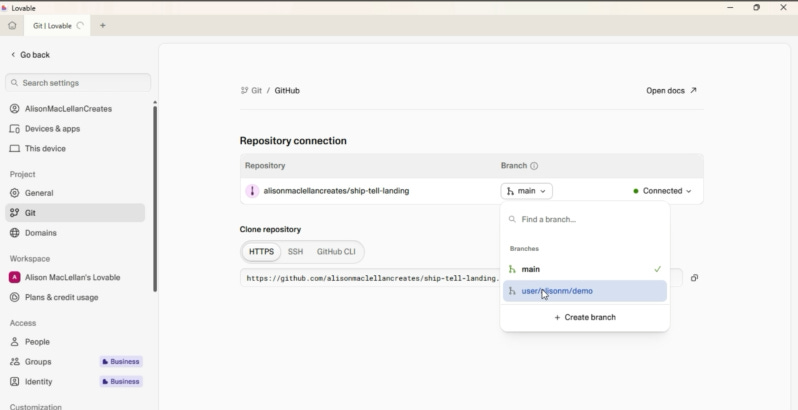
After creating the branch, select it from the branch picker. The editor now shows you working on that branch instead of main.
Section 4 — The PR workflow
The whole point of the post. Walk through it in order with screenshots.
In Lovable:
Use the branch picker to create
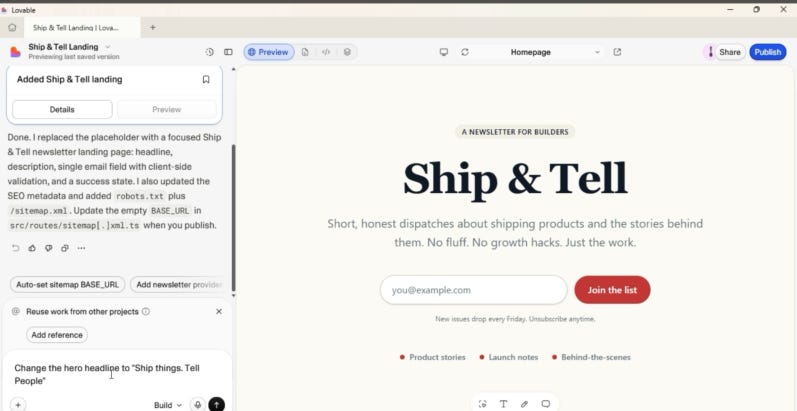
your branch.Prompt: “Change the hero headline to ‘Ship things. Tell people.’”
Lovable commits to the branch automatically.
On GitHub:
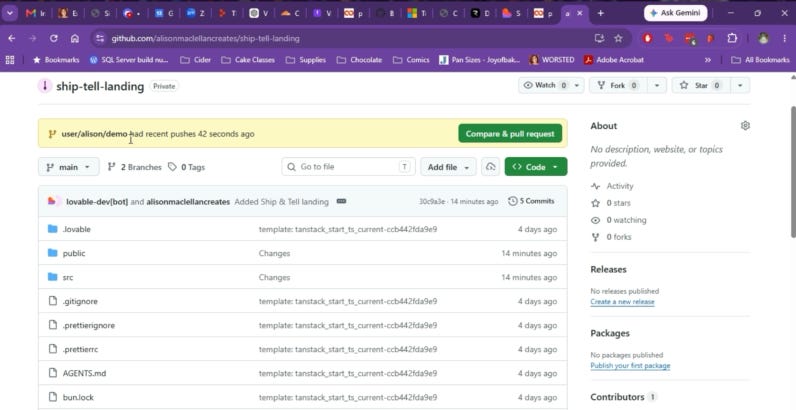
Open the repo. GitHub shows the new branch with a “Compare & pull request” button.
Open the PR, add a description, request review (or self-review).
Merge to main.
Back in Lovable:
Switch the branch picker back to main.
The merged change is already there. No pull, no refresh dance.
Bonus: you can also do steps 1 through 3 locally. git checkout -b feature/xyz, edit in your IDE, push, PR, merge. Lovable picks it up.
Section 5 — Gotchas I hit
Only one GitHub account can be linked to a Lovable account at a time.
Importing an existing repo isn’t supported yet. Start Lovable-first.
Section 6 — Version history vs. Git
If you aren’t already using git you might ask: if Lovable already tracks version history, why do I need Git at all?
Version history is built into Lovable. It’s Google-Docs-style rollback. Great for “undo the last five prompts.” You didn’t set it up. You didn’t configure anything. It’s just there, watching everything you do.
Git is the professional workflow. Branches, PRs, code review, CI. Nobody hands that to you. You build it.
If you’re stacking up things to learn right now, and you have to choose what to prioritize, this is one you’re allowed to put off. Lovable’s version history already gives you a real undo button. You can ship, experiment, and roll back mistakes without touching Git at all.
But you want both eventually. Version history protects you from yourself. Git protects the thing you’re building when other people, or other tools, or your future self on a different machine, need to touch it too. One is personal safety. The other is professional infrastructure.
The pitch: Lovable + GitHub gives you the speed of vibe coding with the discipline of standard software practice. Prompt on main when you’re exploring. Branch and PR when the change matters. Roll back with version history when you just want the last good state.
The Inner Chamber
This was so fun! And a really good complement for what we'll be doing this week in the HART Studio. I also start to go through the workflow then realize I have to back up and there's a lot more explaining to do. I think this is great that you showed how to go through the whole flow through Lovable though! I have a post half-written on why use Lovable vs. manage your own project (which the HART Studio is more oriented toward), and the ability to control your own code, workflow, version control, is definitely one of them!
I love the illustrations in this series. They’re so cute and they fit your theme perfectly.